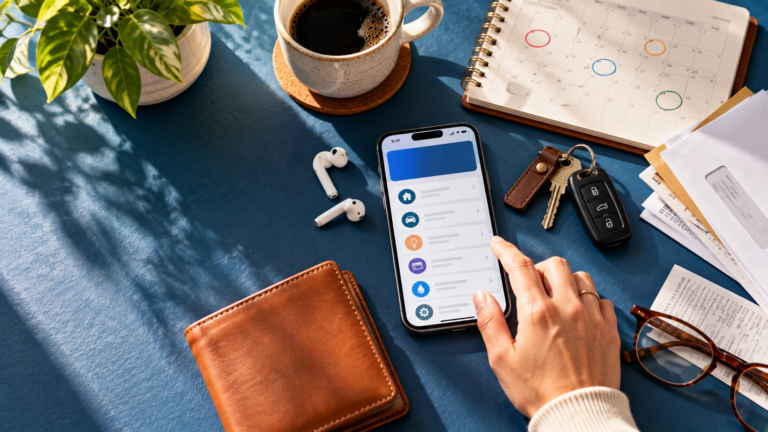
Moving money between accounts has become a routine part of digital banking. You might transfer money from checking to savings, move funds to cover an upcoming expense, or use another electronic payment service to send money outside your bank.
TBO Bank provides mobile banking access to balances, transfers, bill pay, and other available banking tools. But not every type of money movement works the same way. Timing, availability, security, and account features can vary depending on where the money is going and how the transaction is processed.
Key Takeaways: Mobile Banking App Transfers
- Transfers between accounts and payments to outside accounts can follow different processes.
- Transfer timing can vary depending on the financial institutions and payment method involved.
- Review account information carefully before sending money.
- TBO Bank mobile banking provides access to balances, transfers, bill pay, and other available account tools.
- Protecting your device and login credentials is an important part of mobile banking security.
8 Things to Know About Mobile Banking Transfers
1. Transfers Between Your Accounts Can Make Money Management Easier
One common use for mobile transfers is moving money between eligible accounts, such as from checking to savings.
This can be useful when setting money aside for a future expense, adjusting how much you keep available for everyday spending, or building savings. Before making a transfer, review the amount and the accounts involved so you know exactly where the money is going.
2. Not Every Transfer Happens at the Same Speed
Transfer timing can vary depending on the type of transaction, the financial institutions involved, when the transfer is submitted, and how it is processed.
Transfers involving another financial institution may use the Automated Clearing House, or ACH, Network. ACH transactions are processed electronically, but that does not mean every transaction arrives immediately.
Rather than assuming a transfer will be completed within a particular number of hours or days, review the information provided when initiating it. If timing is important, confirm when the funds are expected to become available.
3. Check Available Transfer Details Before Sending Money
Banks may establish different requirements for different types of transactions. Depending on the institution and account, there may be restrictions on the amount that can be transferred, the accounts that are eligible, or how a transaction is initiated.
Before moving a large amount or making a time-sensitive transfer, review the terms displayed within your banking service or contact your bank. This is more reliable than assuming every account or transfer has the same rules.
4. Be Especially Careful When Sending Money to Someone Else
Sending money to another person is different from moving funds between your own accounts. Some person-to-person payment services use a phone number or email address to identify the recipient, while other transactions may require banking information.
Whatever method you use, verify the recipient before confirming the transaction. A mistyped phone number, email address, or account detail could send money somewhere you did not intend. If you believe a transaction was sent incorrectly, contact the financial institution or payment provider as soon as possible.
5. Transfers Can Help Separate Spending From Saving
Moving money into savings can create a clearer boundary between money available for everyday purchases and money intended for a future goal.
Some people choose to transfer money after receiving a paycheck or at another regular interval. The amount does not have to be large to be useful. What matters is choosing an approach that works with your actual income and expenses.
TBO Bank offers personal savings accounts along with mobile banking access to transfers and account balances.
6. Protect Your Account When Making Mobile Transfers
Your phone can provide access to important financial information, which makes account security particularly important.
TBO Bank’s Online Security information describes protections including 256-bit SSL encryption and multi-layered authentication. Customers can also help protect themselves by using strong login credentials, keeping devices and banking software updated, and never sharing passwords or verification codes.
Be cautious about unexpected emails or text messages asking you to transfer money or provide banking information. When in doubt, contact your financial institution using contact information you know is legitimate.
7. Transfers and Bill Payments Are Different
A transfer generally moves money between accounts, while bill pay is designed to send a payment to a business or other payee. The distinction matters because the way the transaction is processed and its timing can be different.
TBO Bank’s What to Know About Mobile Banking App Bill Pay explains how mobile bill payments work, including payment timing, security, and monitoring scheduled payments.
Understanding which tool you need before starting the transaction can help avoid confusion.
8. Mobile Wallets Serve a Different Purpose Too
Mobile wallets are another way phones can be used to manage everyday financial activity, but they are not the same thing as bank transfers.
TBO Bank’s Mobile Wallet allows customers with eligible TBO Bank debit cards to add their card to Apple Pay, Google Pay, or Samsung Pay for compatible contactless purchases. A mobile wallet helps you make purchases, while a bank transfer moves money from one account to another.
How TBO Bank Supports Mobile Money Management
Mobile banking can make managing everyday money more convenient, but it helps to understand which tool you are using. Transfers, bill payments, and mobile-wallet purchases may all happen from a phone, but they serve different purposes.
TBO Bank offers mobile banking access to balances, transfers, bill pay, and other available account tools. Because TBO Bank’s Orrick branch and Digital Branch banking systems operate independently, customers should use the mobile banking experience associated with their account.
If you are unsure which mobile banking system applies to you or have questions about an available transfer feature, contact TBO Bank for assistance.
FAQs About Mobile Banking App Transfers
How long does a mobile banking transfer take?
Timing varies depending on the type of transfer, the financial institutions involved, when the transaction is submitted, and how it is processed. Review the information provided when initiating the transfer for applicable timing.
Is it safe to transfer money through a banking app?
Financial institutions use security measures to help protect online and mobile banking, but customers also play an important role. Protect your device and login information, keep software updated, and be cautious about unexpected requests to send money.
Do mobile banking transfers have limits?
Transfer requirements and limits can vary by bank, account, and transaction type. Check the information available through your banking service or contact your financial institution before making a large transfer.
Can I move money from checking to savings on my phone?
Mobile banking commonly provides tools for transferring money between eligible accounts. TBO Bank’s mobile banking service includes access to transfers, although available features can depend on your account and banking system.
What is the difference between a transfer and bill payment?
A transfer generally moves money between accounts. Bill pay sends a payment to a business or other payee. Processing methods and timing can differ.
Are mobile wallets the same as mobile transfers?
No. A mobile wallet generally allows an eligible payment card to be used for purchases through a compatible device. A bank transfer moves money between accounts.